MOI Qatar Visa Check – Complete Online Guide 2026
The most searched way to verify your Qatar visa approval, validity, and printing status.
Last updated: 2026-07-04
Millions of workers and travelers search for MOI Qatar visa check every month. Whether you applied through an employer, Qatar Visa Center (QVC), or a family sponsor, the Ministry of Interior portal is the only official source for real-time visa data. This guide walks you through the exact process used in 2026.
Also available in Urdu / Hindi
MOI Qatar Visa Check – مکمل گائیڈ 2026
قطر میں ویزا کی حالت جاننے کا واحد سرکاری ذریعہ MOI پورٹل ہے۔ پاکستان، بھارت، فلپائن اور دیگر ممالک سے درخواست دینے والے یہاں پاسپورٹ نمبر سے ویزا چیک کر سکتے ہیں۔
MOI Qatar Visa Check – पूरी गाइड 2026
Qatar visa status check करने के लिए MOI portal (portal.moi.gov.qa) ही official source है। Passport number और nationality से आप भारत से भी visa status online देख सकते हैं।
Check Status on Official MOI Portal
Enter your details below to open the official Ministry of Interior portal securely.
Step-by-Step Guide
- Open the MOI Visa Inquiry portal
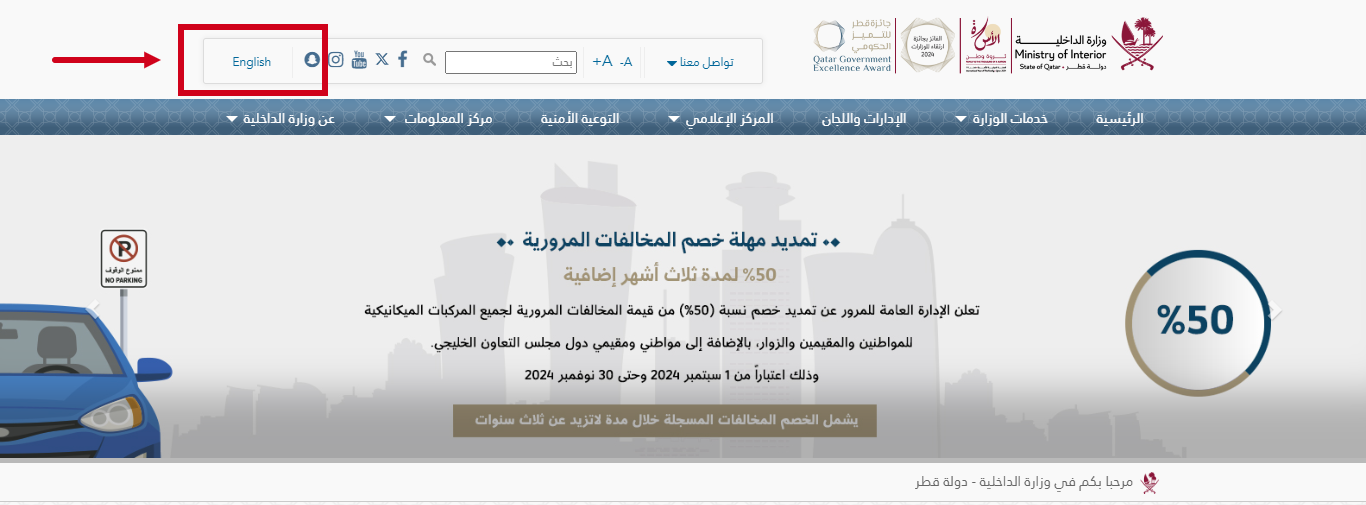
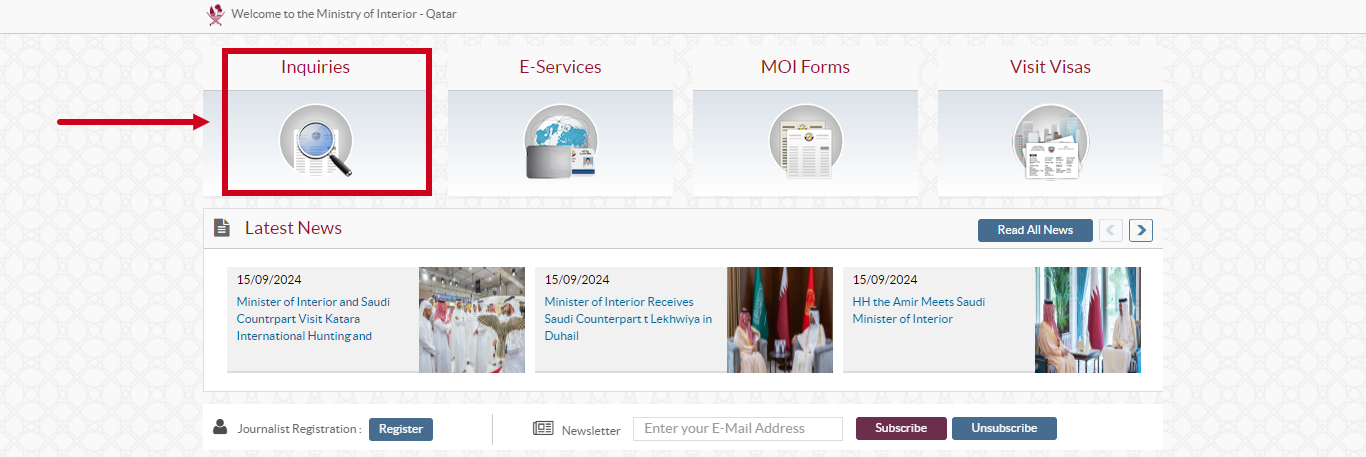
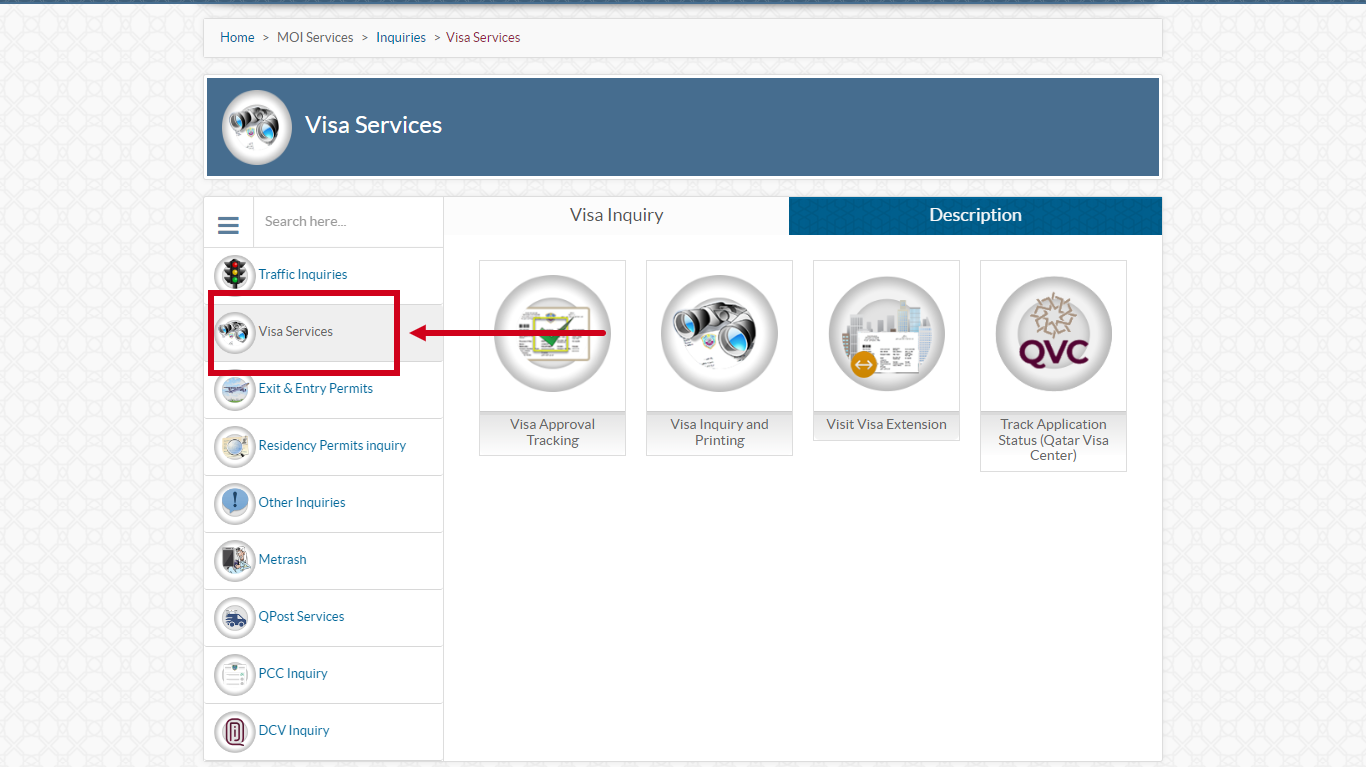
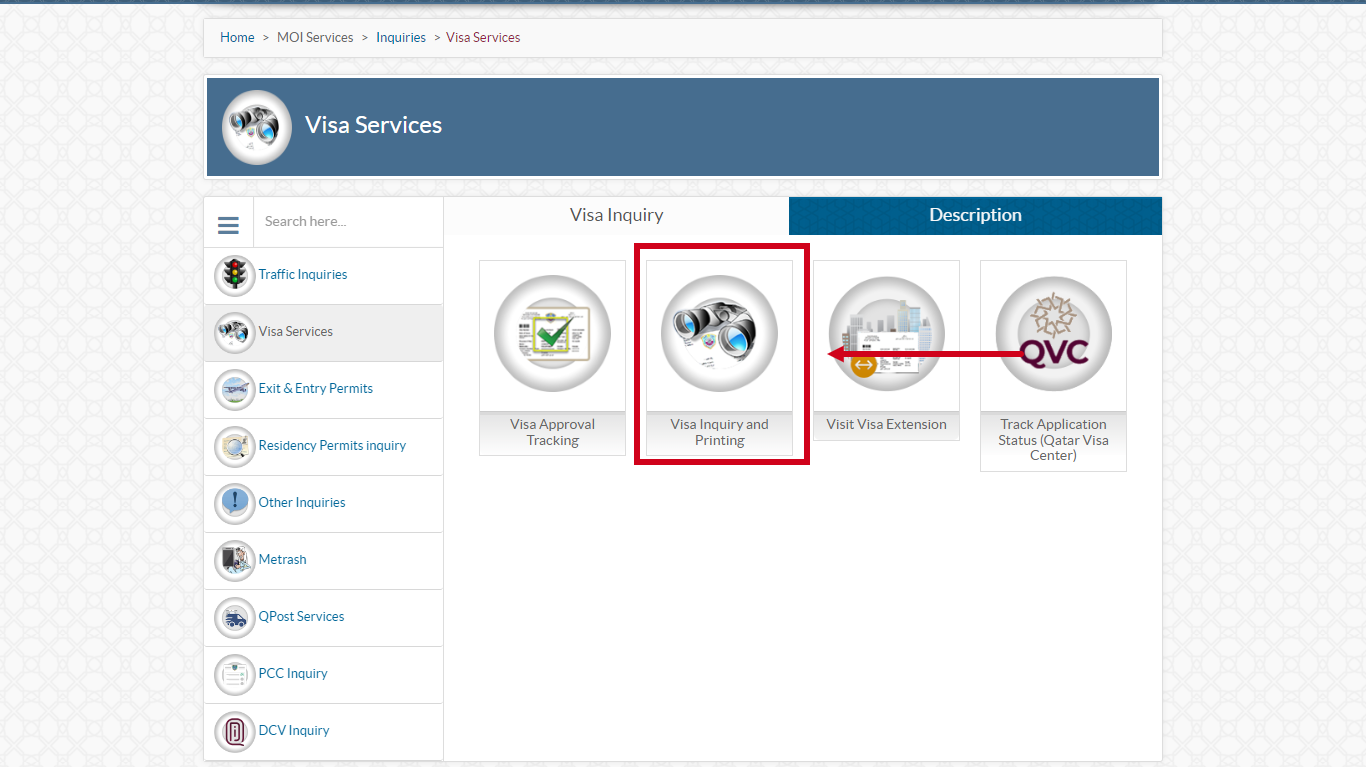
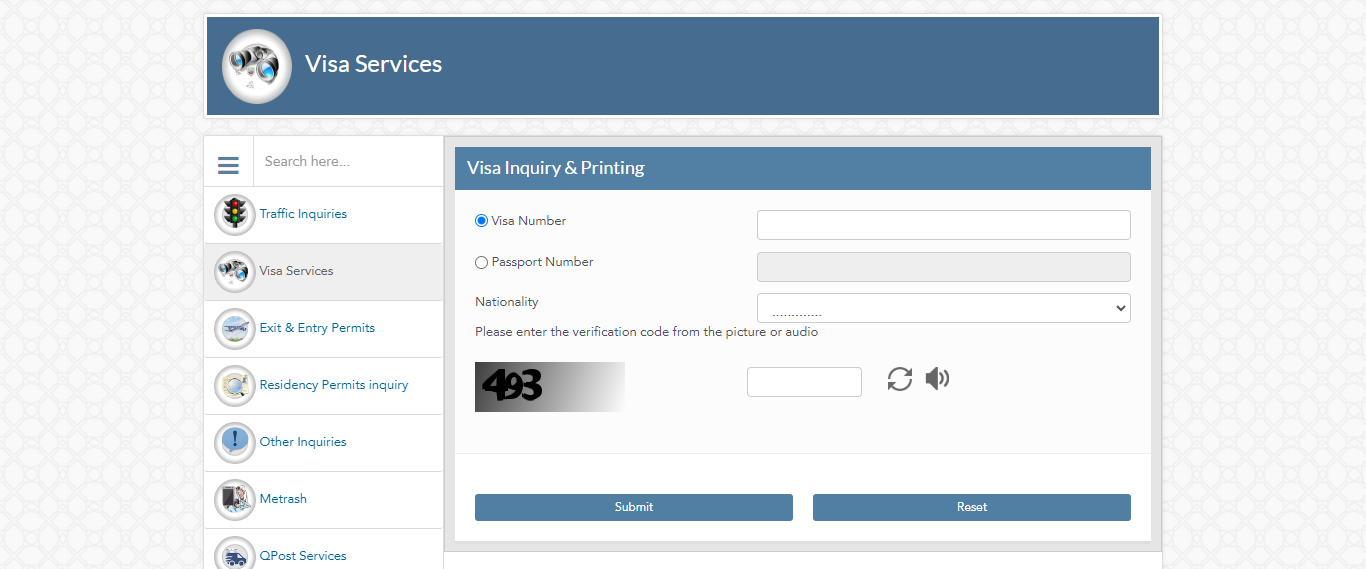
Go to portal.moi.gov.qa and navigate to Inquiries → Visa Services → Visa Inquiry & Printing. You can also use the form on this page.
- Choose your search method
Search by 15-digit visa number OR passport number plus nationality. Passport search is the most popular option when you do not have the visa number yet.
- Complete CAPTCHA and submit
Enter the verification code shown on screen. If CAPTCHA fails, refresh the page and try again.
- Read your visa status
The portal shows visa type, sponsor, validity dates, and current status such as Under Process, Approved, Ready to Print, or Rejected.
- Print your visa if approved
When status shows Ready to Print or Valid to Use, download the PDF and keep a printed copy for travel and employer records.
MOI Portal Screenshots
Why MOI Qatar Visa Check Matters
Airlines, immigration officers, and employers all rely on MOI records—not emails from agents or sponsors. A successful MOI Qatar visa check confirms your entry permit is active before you book flights or resign from your current job abroad.
The system updates throughout the day, with many users reporting faster status changes around mid-afternoon Qatar time. If your status has been Under Process for more than two weeks, contact your sponsor directly while continuing to monitor the portal.
Common MOI Visa Status Meanings
| Status | What It Means | What To Do |
|---|---|---|
| Under Process | Application is being reviewed | Wait and check daily |
| Approved / Valid to Use | Visa is active | Print and prepare travel documents |
| Ready to Print | Approved and available for download | Print visa PDF immediately |
| Rejected | Application denied | Ask sponsor for reason; fix documents and reapply |
| Used Inside Country | You have entered Qatar on this visa | Proceed with residence procedures |
| Expired | Visa validity ended | Request new visa from sponsor |
Who Should Use MOI Qatar Visa Check?
MOI Qatar visa check is used by employment visa applicants waiting for sponsor approval, family members checking visit visa status, travelers confirming Hayya or work visa before flying, and employers verifying batch applications. If your agent says your visa is approved, always confirm on MOI yourself before paying final fees or booking non-refundable tickets.
Workers from India, Pakistan, Bangladesh, Nepal, Sri Lanka, and the Philippines should check MOI after QVC clearance. QVC confirms biometrics and medical—the MOI portal confirms final government approval.
- Job seekers confirming work visa before resigning
- Tourists verifying sponsor or employer visa
- Family checking visit visa approval
- Employers and PRO officers tracking applications
- Travel agents double-checking client status
MOI Portal Navigation Tips
The MOI website is available in Arabic and English. Switch to English from the top menu if the page loads in Arabic. Bookmark the direct Visa Inquiry URL to skip homepage navigation each time.
If the portal is slow during peak hours (evenings in Qatar, mornings in South Asia), try again after 30 minutes or use mobile data instead of WiFi. CAPTCHA errors usually mean session timeout—refresh and re-enter details.
What To Do After Checking Status
If status shows Approved or Ready to Print, download and print the visa PDF immediately. Save a copy on your phone and email. Airlines at departure and immigration at Hamad Airport may ask to see printed or digital proof.
If status shows Under Process for more than 14 days on a work visa, contact your sponsor PRO. If Rejected, do not reapply until the sponsor explains the reason and fixes documents.
Expert Tips
If you lost your visa number, passport number plus nationality still works on MOI.
Type passport numbers exactly as printed—no spaces or dashes unless shown on the document.
Confirm Approved status before quitting your job abroad for a Qatar position.